
All words
Every word of Yu: how to write it, what it does and an example. This chapter is built from the language core, so it is never out of date.
Basics
say · скажи
say(…)
Prints what is in the brackets in the terminal. Several values separated by commas become one line with spaces between them.
say("Hello, world!")
say("2 + 2 =", 2 + 2)
Open in Studio
Hello, world!
2 + 2 = 4
ask · запитай
ask(question)
Shows a question and waits for the person to type an answer. The answer is always text; wrap it in number(…) to get a number.
Yurii
name = ask("What is your name?")
say("Hi, " + name + "!")
Open in Studio
Hi, Yurii!
text · текст
text(x)
Turns a value into text. That way you can, for example, count the digits of a number.
year = 2026
say("The number", year, "has", length(text(year)), "digits")
Open in Studio
The number 2026 has 4 digits
number · число
number(x)
Turns text into a number you can calculate with. A decimal point or a comma both work.
price = number("12.5")
say("Two of them cost", price * 2)
Open in Studio
Two of them cost 25
round · округли
round(x)
Rounds a number to the nearest whole number: 2.4 becomes 2 and 2.5 becomes 3.
average = (7 + 8 + 10) / 3
say("Average mark:", round(average))
Open in Studio
Average mark: 8
random · випадкове
random(a, b)
Gives a random whole number from a to b, both ends included. It is different every time.
dice = random(1, 6)
say("The dice shows", dice)
Open in Studio
The dice shows 4
Conditions
if · якщо
if condition:
Runs the block below it only when the condition is true. The block is the lines indented by four spaces.
temperature = 25
if temperature > 20:
    say("It is warm today")
Open in Studio
It is warm today
else · інакше
else: · else if condition:
Comes after if. The block under else runs when the condition is false, and else if checks one more condition.
score = 7
if score >= 10:
    say("Excellent")
else if score >= 6:
    say("Good")
else:
    say("Try again")
Open in Studio
Good
and · or · not · і · або · не
a and b · a or b · not a
Combine conditions. “and” is true when both parts are true, “or” when at least one is, and “not” turns true into false and back.
age = 12
if age > 6 and age < 18:
    say("Goes to school")
if age < 6 or age > 65:
    say("Does not go to school")
say("Grown up:", not (age < 18))
Open in Studio
Goes to school
Grown up: false
true · false · так · ні
true · false
The two truth values. Comparisons give them, and if and while use them to decide what to do.
sun = true
rain = false
say("Sun:", sun, "Rain:", rain)
say("5 > 3:", 5 > 3)
Open in Studio
Sun: true Rain: false
5 > 3: true
nothing · нічого
nothing
Means there is no value. A function without return gives it back.
found = nothing
say("Found:", found)
Open in Studio
Found: nothing
Loops
repeat … times · повтори … разів
repeat N times:
Repeats the block N times. The word times after the number may be left out.
stars = ""
repeat 5 times:
    stars = stars + "*"
say(stars)
Open in Studio
*****
while · поки
while condition:
Repeats the block while the condition is true. Make sure the condition turns false at some point, or the loop never ends.
money = 10
while money >= 3:
    money = money - 3
    say("Bought an ice cream,", money, "left")
Open in Studio
Bought an ice cream, 7 left
Bought an ice cream, 4 left
Bought an ice cream, 1 left
for … from … to · для … від … до
for i from A to B step S:
Counts from A to B, both ends included, and runs the block for each number. The step may be left out; then it is 1.
for i from 1 to 3:
    say(i, "× 2 =", i * 2)
for i from 0 to 20 step 10:
    say(i)
Open in Studio
1 × 2 = 2
2 × 2 = 4
3 × 2 = 6
0
10
20
for … in · для … у
for x in list:
Goes through a list one item at a time: each time x is the next item.
for fruit in ["apple", "pear", "plum"]:
    say("In the basket:", fruit)
Open in Studio
In the basket: apple
In the basket: pear
In the basket: plum
break · стоп
break
Leaves the loop at once, even if it has not finished.
for i from 1 to 10:
    if i == 4:
        break
    say(i)
Open in Studio
1
2
3
continue · далі
continue
Skips the rest of the block and goes straight to the next round of the loop.
for i from 1 to 6:
    if i % 2 == 0:
        continue
    say(i, "is odd")
Open in Studio
1 is odd
3 is odd
5 is odd
Functions
function · функція
function name(parameters):
Gives a block a name so you can call it again and again. The brackets hold the parameters: values the function gets when it is called.
function greet(name):
    say("Hi, " + name)

greet("Olya")
greet("Taras")
Open in Studio
Hi, Olya
Hi, Taras
return · поверни
return value
Ends the function and hands a value back to where it was called.
function square(n):
    return n * n

say("5 squared:", square(5))
Open in Studio
5 squared: 25
Lists
length · довжина
length(x)
How many items a list has, or how many characters a text has.
friends = ["Olya", "Taras", "Marko"]
say("Friends:", length(friends))
say("Letters in Kyiv:", length("Kyiv"))
Open in Studio
Friends: 3
Letters in Kyiv: 4
append · додай
append(list, x)
Adds a value to the end of a list. Items are numbered from 1: list[1] is the first.
shopping = ["bread"]
append(shopping, "milk")
say(shopping)
say("Second:", shopping[2])
Open in Studio
["bread", "milk"]
Second: milk
Drawing
canvas · полотно
canvas(w, h)
Changes the size of the canvas in pixels. It starts at 600 by 400; call canvas at the very beginning of the program.
canvas(300, 300)
background("lightblue")
color("yellow")
circle(150, 150, 100)
Open in Studio

background · фон
background("colour")
Paints the whole canvas one colour. Write the colour's name in quotes.
background("blue")
color("yellow")
rect(0, 200, 600, 200)
Open in Studio

color · колір
color("colour")
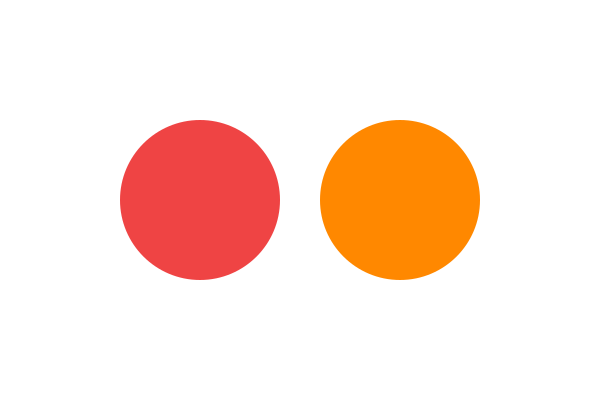
Sets the colour of the next shapes, lines and labels. A colour name, "#ff8800" or "random" all work.
color("red")
circle(200, 200, 80)
color("#ff8800")
circle(400, 200, 80)
Open in Studio
thickness · товщина
thickness(n)
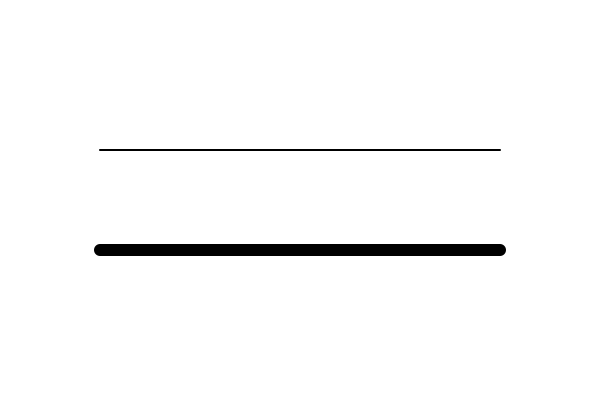
Sets the width of lines in pixels, both for line and for the turtle.
thickness(2)
line(100, 150, 500, 150)
thickness(12)
line(100, 250, 500, 250)
Open in Studio
circle · коло
circle(x, y, r)
Draws a filled circle: x and y are the centre, r is the distance from the centre to the edge.
color("red")
circle(300, 200, 80)
Open in Studio

rect · прямокутник
rect(x, y, w, h)
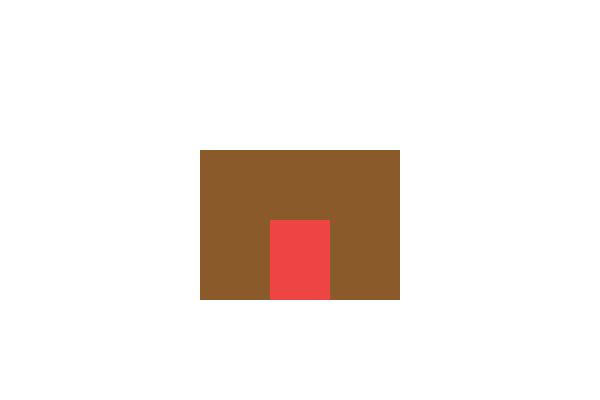
Draws a filled rectangle: x and y are the top left corner, then the width and the height.
color("brown")
rect(200, 150, 200, 150)
color("red")
rect(270, 220, 60, 80)
Open in Studio
line · лінія
line(x1, y1, x2, y2)
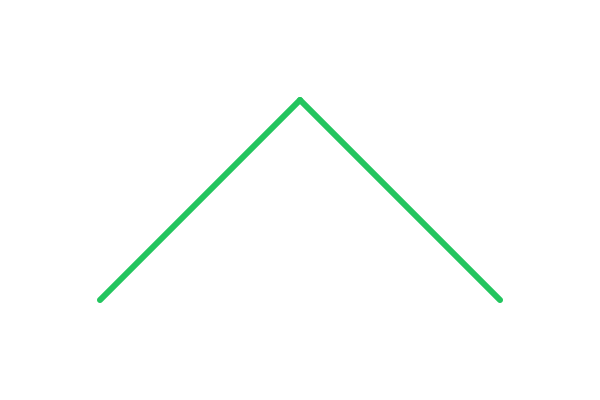
Draws a straight line from the point x1, y1 to the point x2, y2.
color("green")
thickness(6)
line(100, 300, 300, 100)
line(300, 100, 500, 300)
Open in Studio
label · напис
label(text, x, y)
Writes text on the canvas; x and y are the top left corner of the text.
color("blue")
label("Hello from Yu", 220, 190)
Open in Studio

Turtle
forward · вперед
forward(n)
The turtle walks n pixels ahead and draws a line while the pen is down. It starts in the centre, facing right.
color("blue")
forward(150)
Open in Studio

back · назад
back(n)
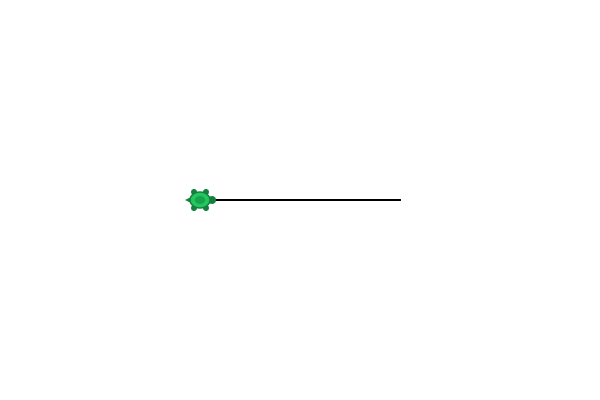
The turtle walks n pixels backwards without turning around.
forward(100)
back(200)
Open in Studio
right · праворуч
right(°)
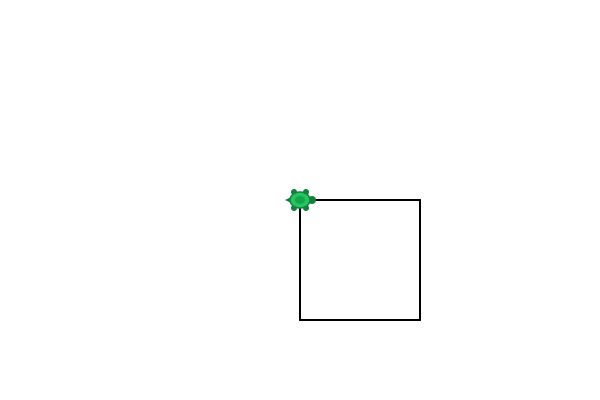
The turtle turns right, clockwise, by that many degrees.
repeat 4 times:
    forward(120)
    right(90)
Open in Studio
left · ліворуч
left(°)
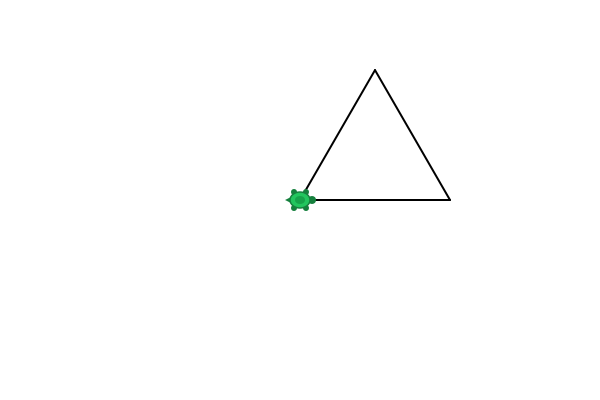
The turtle turns left, anticlockwise, by that many degrees.
repeat 3 times:
    forward(150)
    left(120)
Open in Studio
pen_up · підніми_перо
pen_up()
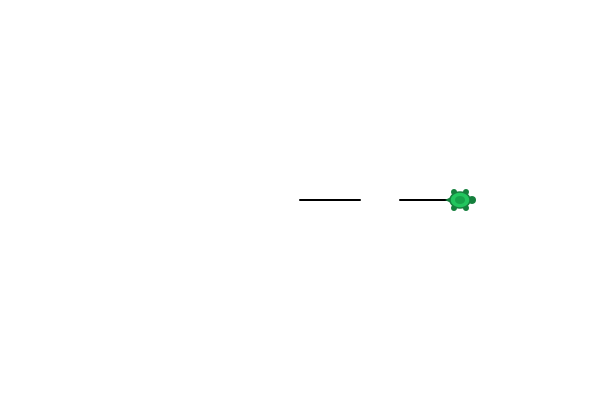
The turtle keeps walking but stops drawing until you put the pen down.
forward(60)
pen_up()
forward(40)
pen_down()
forward(60)
Open in Studio
pen_down · опусти_перо
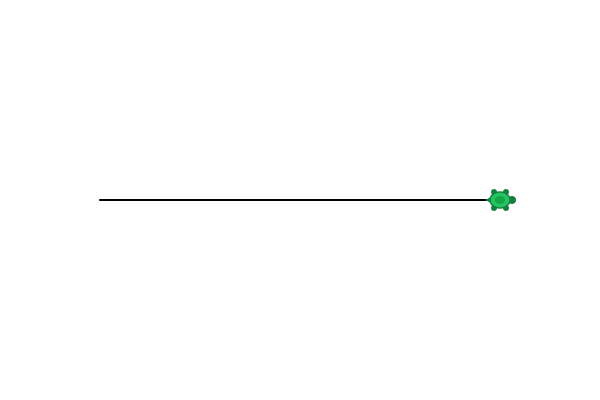
pen_down()
The turtle draws again as it walks. At the start the pen is already down.
pen_up()
back(200)
pen_down()
forward(400)
Open in Studio
begin_fill · почни_заливку
begin_fill()
Starts recording the turtle's path so the shape inside can be filled later.
color("yellow")
begin_fill()
repeat 5 times:
    forward(200)
    right(144)
end_fill()
Open in Studio

end_fill · заверши_заливку
end_fill()
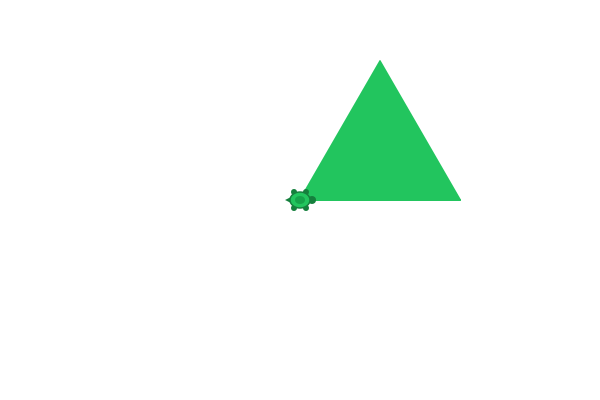
Fills the shape the turtle walked around since begin_fill with the current colour.
color("green")
begin_fill()
repeat 3 times:
    forward(160)
    left(120)
end_fill()
Open in Studio
Colours
Write a colour name in quotes. Ukrainian names in any gender form, English names, "#ff8800" and "random" all work.
| Ukrainian | English | Code |
|---|---|---|
| червоний | red | #ef4444 |
| помаранчевий | orange | #f97316 |
| жовтий | yellow | #ffd700 |
| зелений | green | #22c55e |
| блакитний | lightblue | #38bdf8 |
| синій | blue | #0057b7 |
| фіолетовий | purple | #8b5cf6 |
| рожевий | pink | #ec4899 |
| білий | white | #ffffff |
| чорний | black | #000000 |
| сірий | gray | #9ca3af |
| коричневий | brown | #8b5a2b |